Free calendar for iPhone

Version 2.0.2 · Updated Oct 25, 2026

Always know
what's next.

Glance turns the calendar already on your iPhone into a calm plan for the day, with a live countdown to whatever comes next.
  • No account
  • No ads
  • No tracking
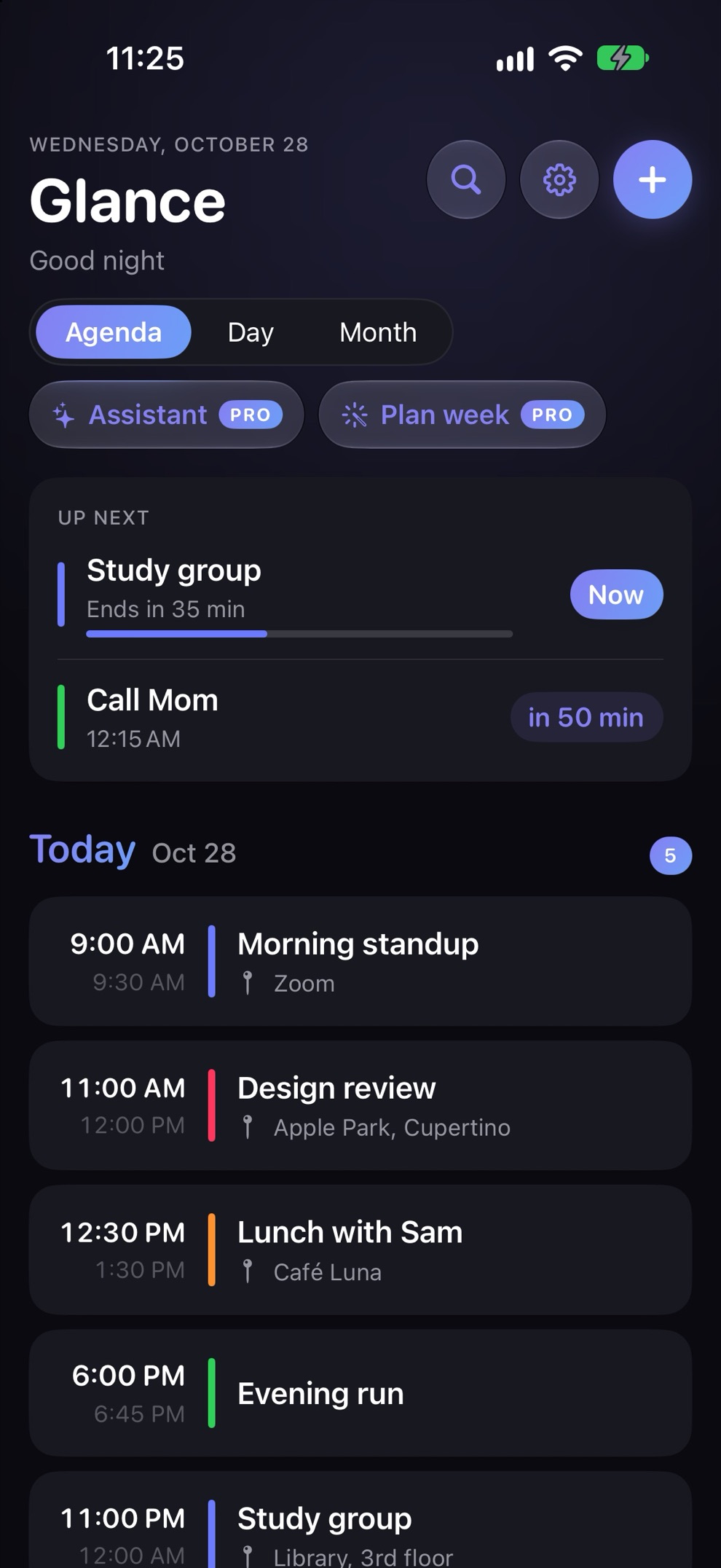
Glance agenda in dark mode with the Up Next card showing the current and next event
Up nextLive
Design reviewEnds in 18 min
Now
Call Mom12:30 PM
in 48 min
Why people switch

A calendar that feels
like a deep breath.

No setup and nothing to import. Open Glance and your day is already there.

Up Next, live

See what's happening now and what starts soon, with a countdown that keeps itself up to date: "in 6 min", "in 1 hr".

Your events stay put

Glance reads the calendars already on your iPhone (iCloud, Google, Outlook) and doesn't keep a separate copy, so updating or deleting Glance leaves your events where they are.

Type it like you'd say it

Write one line and Glance builds the event: title, time, place, and a travel-time estimate from Apple Maps.
"Dentist Tuesday 3pm"
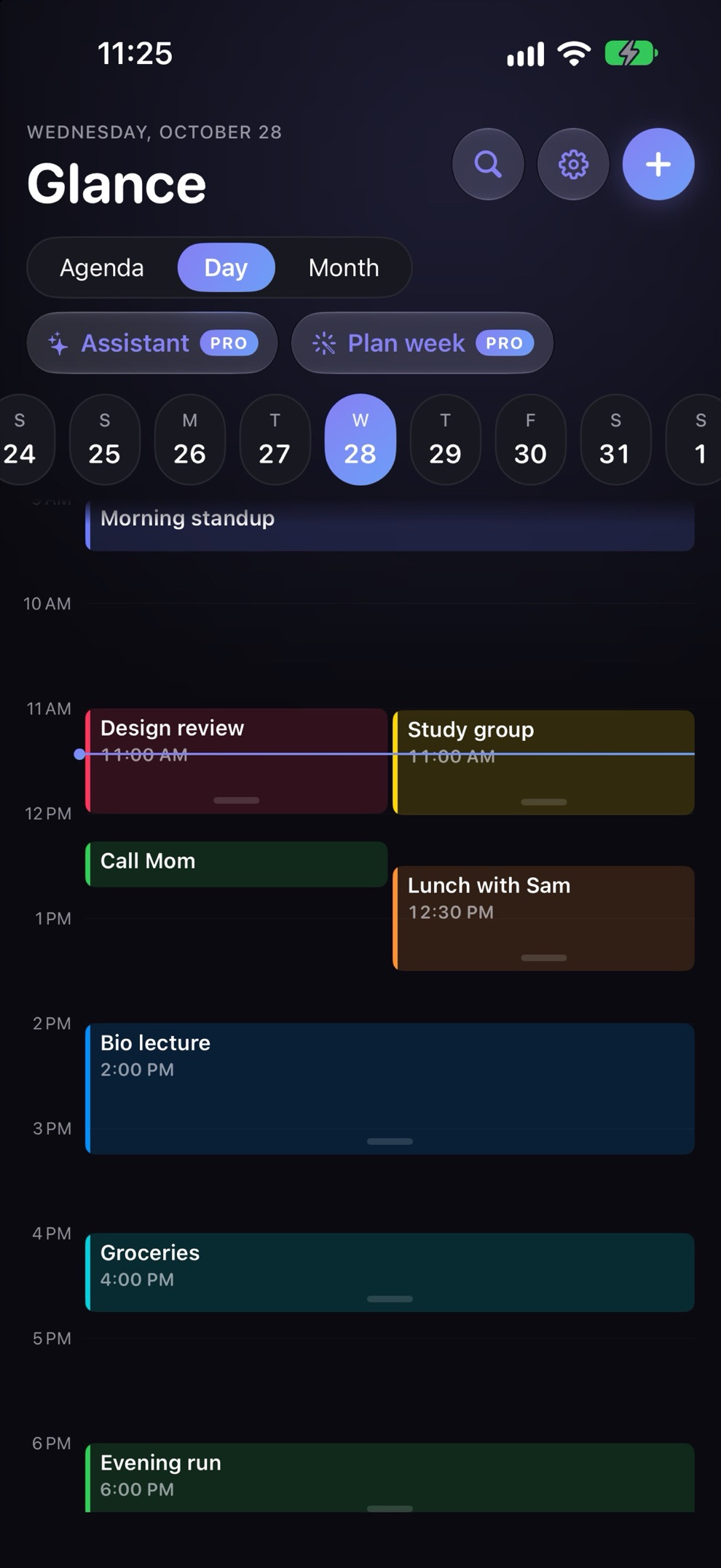
Glance Day view in dark mode with color-coded events hour by hour
Day view

Your whole day,
hour by hour.

Agenda, Day and Month views that move the way your thumb expects. Rearranging your afternoon takes one drag.
  • Swipe between days
  • Drag an event to move it, drag its edge to resize
  • Search every event in seconds
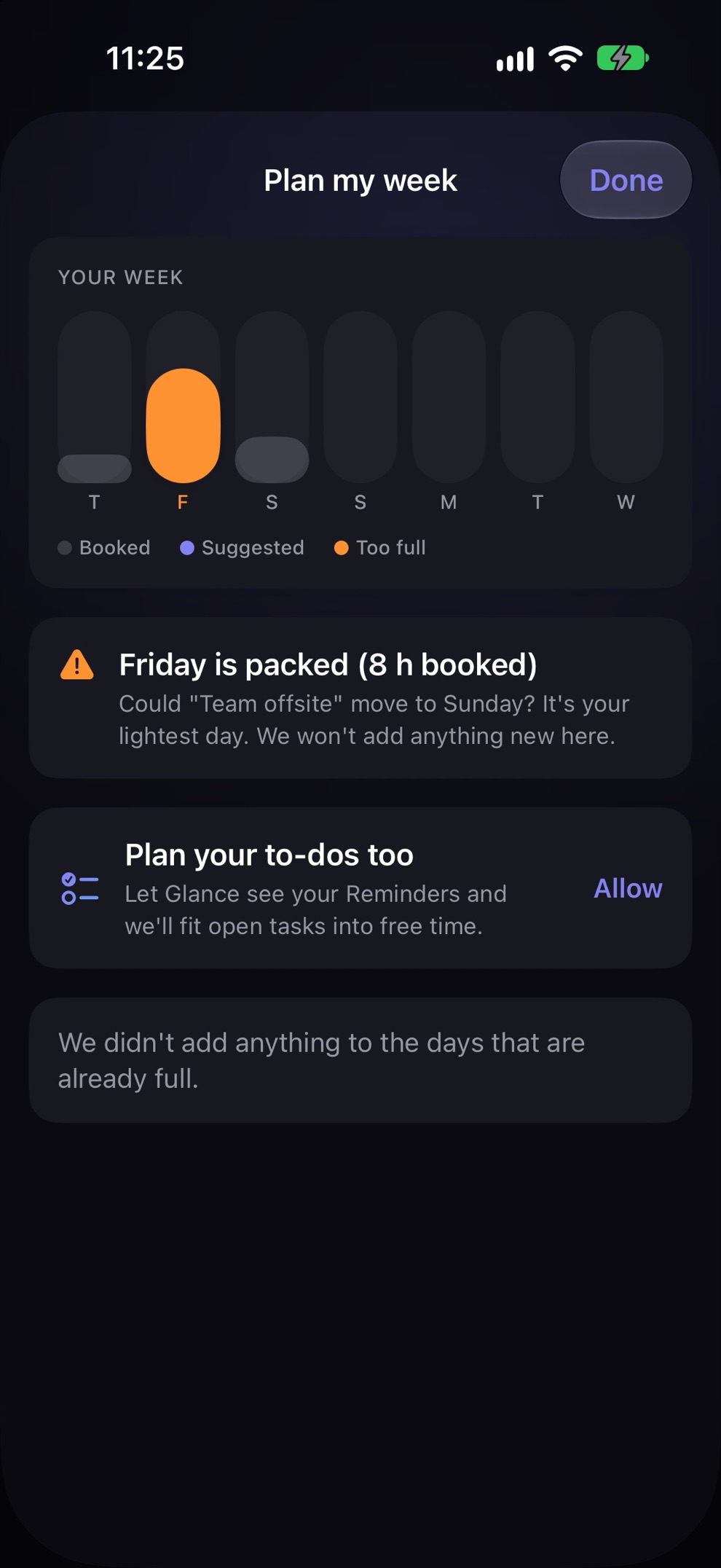
Plan my week in dark mode showing a packed Friday and a suggestion to move an event
Plan my week

A week that fits.PRO

Glance spots the days that are already too full, suggests what could move, and fits your open to-dos from Apple Reminders into real free time.
  • See how loaded each day is at a glance
  • Never adds to days that are already full
  • Weekly insights on where your time went
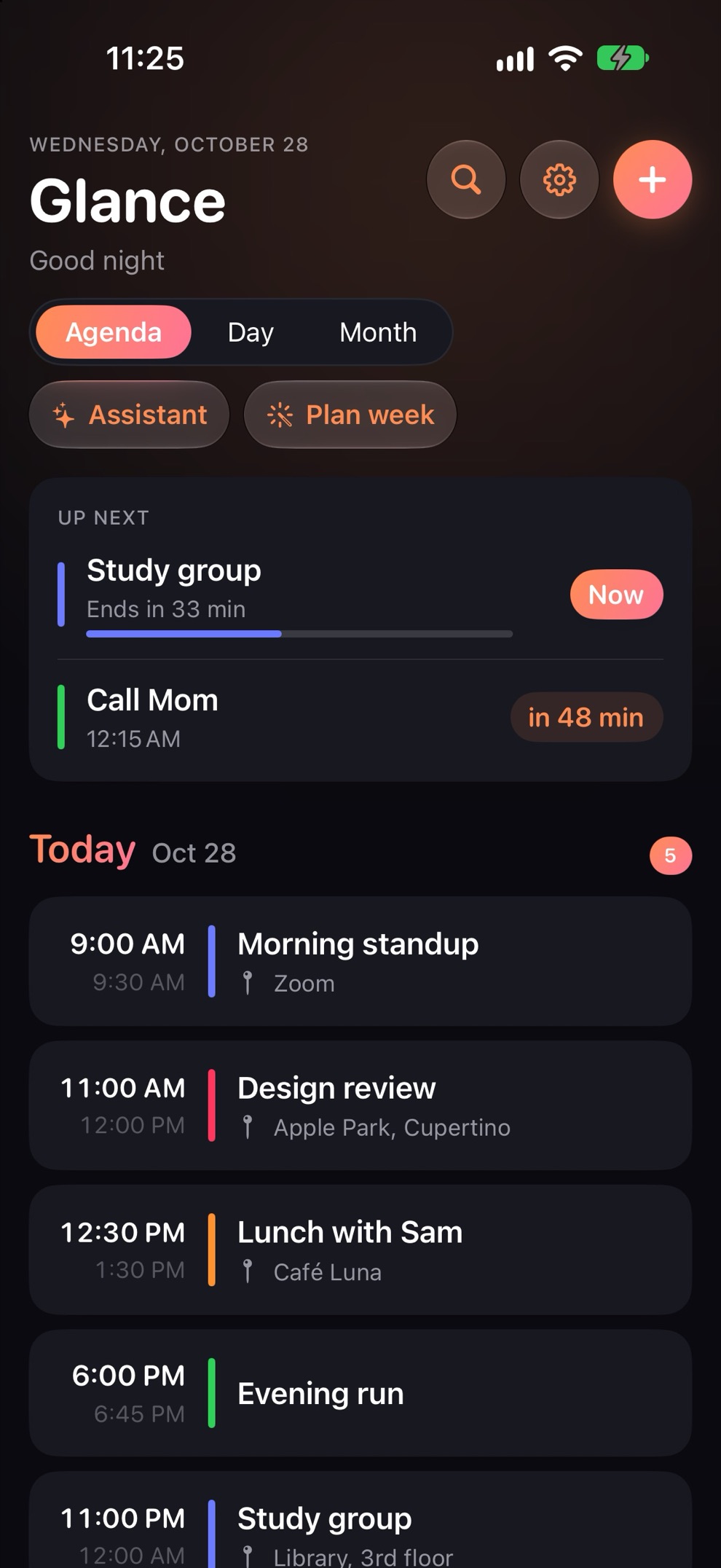
Glance agenda in dark mode with the Sunset app color
Make it yours

Light, dark,
and your colors.

Pick an app color, a theme and a home screen icon. Choose which calendars show. It's your day, so it should look like yours.

  • App colors, art themes and alternate icons
  • Home Screen and Lock Screen widgets
  • Follows your iPhone's light or dark mode
WidgetsYour next event on the Home Screen and Lock Screen.
To-dos built inUses Apple Reminders, so tasks sync everywhere and work with Siri.
Event alerts PROReminders from Glance, as early as you like.
Morning briefing PROYour first meeting, your gaps and any clashes, before you get up.
Free and Pro

A free calendar.
Pro when you want it.

The whole calendar is free, with no sign-up and no ads. Pro adds a planner and an assistant on top.

Glance

Free, no account
  • Agenda, Day and Month views
  • Live Up Next countdown
  • Add and edit events, type-to-add
  • Home Screen and Lock Screen widgets
  • Colors, themes and icons

Glance Pro

$4.99 a month or $40.00 a year
  • Everything in Glance
  • Event alerts
  • Plan my week and weekly insights
  • Morning briefing
  • Assistant and AI meeting prep

Glance Pro Monthly: $4.99 per month. Glance Pro Yearly: $40.00 per year. US prices; shown in your currency in the app. Subscriptions are billed to your Apple Account and renew automatically unless cancelled at least 24 hours before the end of the current period. Manage or cancel anytime in your App Store account settings. Have a code? Redeem it in Glance Settings.

What's new

Glance is rebuilt around your feedback:

  • A real calendar: swipe left and right between days, drag an event to move it, drag its edge to resize, tap an empty hour to add one. Plus a Month view and search.
  • Your colors: pick an app color, an app icon, and which calendars show.
  • Smarter alerts: only for events you're going to (no declined or hidden-calendar events), and they stay up to date when your calendar changes.
  • Up Next: what's happening now and what starts soon, with a live countdown.
  • Event alerts (Pro): a heads-up from Glance before every event, as early as you like.
  • Say it, it's scheduled: "Dentist Tuesday 3pm, remind me to bring forms" makes the event and a reminder.
  • A new Plan my week: see each day's load at a glance, fit goals and open to-dos into free time, and get a nudge when a day is too full.
  • Weekly insights that help: where your time went vs last week, your free hours ahead, your quietest time to focus, and what got done.
  • Make it yours: choose what the home screen shows.
  • A fresh, shorter welcome and a cleaner design throughout.
  • Pro purchases and restores are fixed, and you can redeem codes in Settings → Your plan.
  • New Contact us button in Settings. We read every message.

Your calendar stays free, and your events stay in Apple Calendar.

Private by design

Your calendar stays yours.

Glance has no account, no ads and no trackers, and never sells data. On iPhones with Apple Intelligence, the assistant runs on your device. On other iPhones, a cloud assistant is optional, asks before it turns on, and only sees what it needs to answer.

Read the privacy policy →

No sign-up
No ads
No trackers or analytics
Events stay in Apple Calendar
Questions

Good to know

Is Glance really free?

Yes. The calendar, Up Next, widgets, colors and icons are free with no account and no ads. Glance Pro is optional and adds event alerts, Plan my week, weekly insights, the morning briefing and the assistant.

Does it work with Google Calendar or Outlook?

Yes. Glance shows every calendar your iPhone's Calendar app shows. If your Google or Outlook account is added in iPhone Settings, its events appear in Glance automatically.

What happens to my events if I delete Glance?

They stay where they are. Glance doesn't keep its own copy of your calendar. Your events live in Apple Calendar and the calendar accounts on your iPhone, so removing or updating Glance doesn't delete them.

Which iPhones does it support?

Any iPhone on iOS 17 or later. The on-device assistant needs an iPhone with Apple Intelligence; other iPhones can use the optional cloud assistant with Pro.

How do I restore a purchase or cancel?

Tap Restore Purchases on the Glance Pro screen. To cancel, go to iPhone Settings, then your name, then Subscriptions. More help is on the support page.
Glance app icon

Your day, at a glance.

Free on the App Store for iPhone.

Get Glance on the App Store